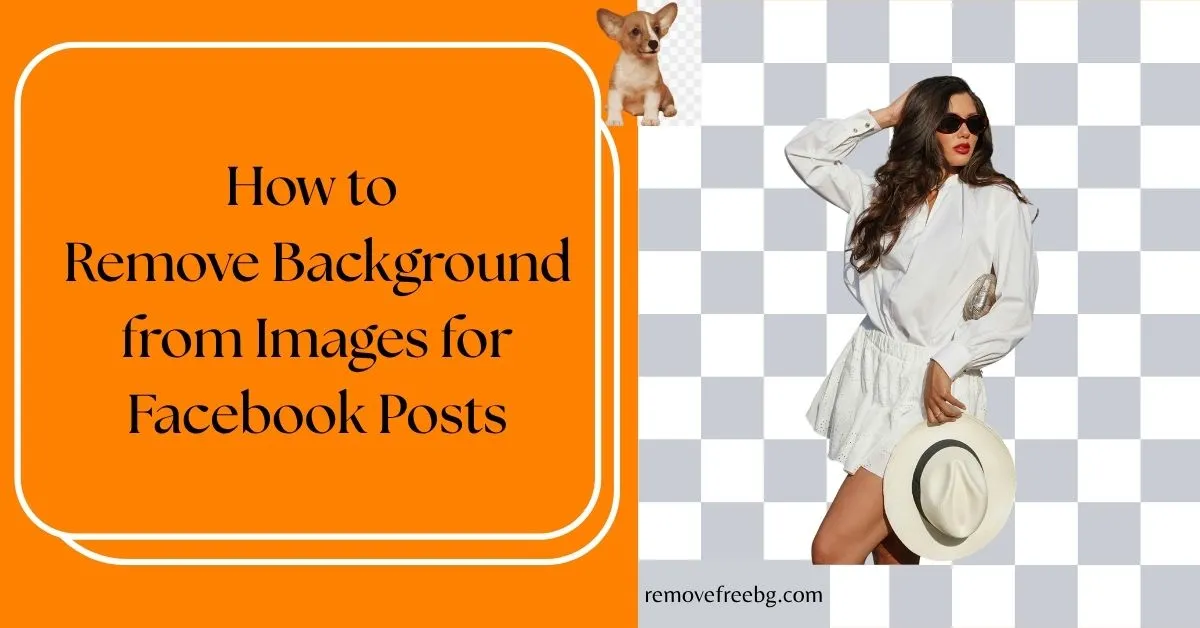
How to Remove Background from Images for Facebook Posts
Discover how AI background removal helps businesses, creators, and Facebook users create cleaner images that attract more attention, engagement, and clicks.
RemoveBG
July 30, 2026
Table of Contents
- Why Image Quality Matters on Facebook
- Why Remove Backgrounds Before Posting on Facebook?
- What Is AI Background Removal?
- Best Ways to Use Background Removal on Facebook
- PNG or JPEG: Which Format Is Better for Facebook?
- Tips for Better Facebook Images
- Common Mistakes to Avoid
- Who Benefits Most from AI Background Removal?
- Why RemoveFreeBG Makes Facebook Content Easier
- The Future of Facebook Content Creation
- Conclusion
- Frequently Asked Questions
Facebook remains one of the world's largest social media platforms, serving billions of users who browse news feeds, shop through Marketplace, interact with businesses, and discover new products every day.
Whether you are promoting a brand, selling products, managing a business page, or sharing personal content, the quality of your images has a direct impact on how people engage with your posts.
People scroll through hundreds of posts during a single session. Your image has only a brief moment to capture attention before someone continues scrolling. Busy backgrounds, poor lighting, or distracting objects can reduce the impact of even the best content.
This is why more creators and businesses choose to remove background for Facebook before publishing images. AI-powered background removal allows you to isolate the subject, create professional-looking visuals, and prepare images for posts, Facebook Ads, Marketplace listings, profile pictures, and cover photos without using complex editing software.
This guide explains why background removal matters on Facebook, how AI simplifies the editing process, and how to create images that look more polished and professional.
Why Image Quality Matters on Facebook
Facebook is a highly visual platform. Before users read a caption or click a link, they first notice the image.
Whether someone engages with your content often depends on their first visual impression.
Professional images help communicate:
-
Credibility
-
Product quality
-
Brand consistency
-
Professionalism
-
Trust
Poor-quality images often create the opposite impression, even if the product or message itself is valuable.
Why Remove Backgrounds Before Posting on Facebook?
Background removal is more than a cosmetic edit. It helps direct the viewer's attention toward the most important part of the image.
For example, if you are promoting a skincare product, your audience should immediately notice the product, not the desk, furniture, or room behind it.
Removing unnecessary backgrounds provides several advantages.
Better Visual Focus
A clean image eliminates distractions. Whether the subject is a product, person, or logo, viewers immediately understand what they are looking at.
More Professional Branding
Businesses often publish multiple Facebook posts every week. Using consistent backgrounds creates a stronger visual identity. Professional-looking images also improve customer confidence.
Greater Design Flexibility
After removing the background, you can place the subject on:
-
White backgrounds
-
Brand colors
-
Promotional graphics
-
Seasonal designs
-
Marketing banners
-
Facebook cover designs
This flexibility allows one image to be reused across multiple campaigns.
Faster Content Creation
Instead of organizing another photoshoot every time you need a different design, one transparent product image can be repurposed repeatedly.
What Is AI Background Removal?
AI background removal uses computer vision and machine learning to automatically separate the main subject from its surroundings.
Rather than manually selecting every edge, the AI analyzes:
-
Object shapes
-
Color differences
-
Lighting
-
Textures
-
Subject boundaries
It then removes the unwanted background while preserving the subject.
The result is usually a transparent PNG that can be placed onto any new background.
Best Ways to Use Background Removal on Facebook
Facebook Business Posts
Facebook business pages frequently promote:
-
Products
-
Services
-
Discounts
-
Events
-
Announcements
Removing distracting backgrounds keeps attention on the message rather than the environment.
Facebook Marketplace Listings
Facebook marketplace buyers often compare dozens of listings before making a purchase. Clean product photos help listings appear more trustworthy.
Background removal is particularly useful for:
-
Electronics
-
Furniture
-
Clothing
-
Accessories
-
Handmade products
-
Home decor
Professional-looking images can encourage users to click your listing first.
Facebook Ads
Facebook Ads compete with countless other posts inside the News Feed. Strong product visibility increases the chance that users stop scrolling.
Background-free products also make it easier to create attractive promotional graphics with:
-
Headlines
-
Prices
-
Discounts
-
Call-to-action buttons
Facebook Shops
Online stores connected to Facebook benefit from consistent product photography. Removing backgrounds creates a uniform catalog that looks more professional across all product listings.
Facebook Profile Pictures
Many professionals remove distracting backgrounds from profile photos to create a cleaner appearance. Simple backgrounds often help faces remain more recognizable on mobile devices.
Facebook Cover Photos
Businesses frequently combine transparent product images with promotional graphics to create attractive cover photos. This allows seasonal campaigns and branding updates without scheduling new photography sessions.
PNG or JPEG: Which Format Is Better for Facebook?
The correct image format depends on how the image will be used.
PNG
PNG supports transparent backgrounds.
It is ideal for:
-
Logos
-
Product cutouts
-
Marketing graphics
-
Overlay elements
-
Promotional designs
PNG also preserves sharp edges and text more effectively.
JPEG
JPEG is generally preferred for standard photographs where transparency is unnecessary. It produces smaller file sizes while maintaining good visual quality.
If you remove the background from an image, PNG is usually the better choice because it preserves transparency.
Tips for Better Facebook Images
Removing the background is only one part of creating engaging visuals.
Consider these additional best practices.
-
Use High-Resolution Images: Sharp images appear more professional and maintain quality after Facebook compresses uploaded files.
-
Keep the Subject Large: Products or people should remain clearly visible even on smartphone screens. Small subjects often lose impact.
-
Maintain Brand Consistency: Use similar colors, fonts, and layouts across multiple posts to strengthen brand recognition.
-
Leave Space for Text: If you plan to add promotional messaging, leave enough empty space around the subject. This creates cleaner layouts.
-
Use Natural Lighting: Even with AI editing, high-quality source images always produce better results.
Common Mistakes to Avoid
-
Cluttered Backgrounds: Busy environments compete with your main subject. Always prioritize visual simplicity.
-
Overediting: Excessive sharpening, saturation, or artificial effects can reduce credibility. Aim for realistic presentation.
-
Low-Resolution Downloads: Always export the highest quality version available. Compressed images may appear blurry after Facebook processes them.
-
Ignoring Mobile Users: Most Facebook users browse on smartphones. Preview images on smaller screens before publishing.
Who Benefits Most from AI Background Removal?
Many different Facebook users can benefit from cleaner images.
These include:
-
Small businesses
-
E-commerce stores
-
Facebook Marketplace sellers
-
Influencers
-
Digital marketers
-
Real estate agents
-
Restaurants
-
Freelancers
-
Online educators
-
Event organizers
-
Local service providers
-
Nonprofit organizations
Whether promoting products or personal brands, clean visuals help communicate professionalism.
Why RemoveFreeBG Makes Facebook Content Easier
Creating professional Facebook graphics no longer requires expensive editing software or advanced design skills.
With an AI-powered tool like RemoveFreeBG, you can:
-
Remove backgrounds in seconds.
-
Create transparent PNG images.
-
Prepare product photos for Facebook Marketplace.
-
Design cleaner Facebook Ads.
-
Improve business page visuals.
-
Reuse the same product image across multiple campaigns.
-
Save time compared to manual editing.
Instead of spending hours learning complex editing software, you can focus on creating engaging content that connects with your audience.
The Future of Facebook Content Creation
Artificial intelligence is changing how creators produce visual content.
Modern AI tools now assist with:
-
Background removal
-
Image enhancement
-
Shadow refinement
-
Background replacement
-
Automatic resizing
-
Smart object detection
As AI technology continues to improve, businesses will be able to create professional-quality marketing materials more quickly while maintaining consistent branding across every Facebook campaign.
Conclusion
Creating eye-catching Facebook content is no longer just about writing compelling captions. Visual quality has become equally important, whether you are promoting a business, selling products, running advertisements, or building a personal brand.
Learning how to remove background for Facebook allows you to produce cleaner, more professional images that keep the focus exactly where it belongs, on your subject. AI-powered tools have made this process fast, accessible, and practical for users of every skill level.
Instead of spending time manually editing images in complex software, you can use RemoveFreeBG to create transparent PNGs, improve product photography, and design Facebook-ready visuals that look polished across posts, Marketplace listings, Facebook Shops, profile pictures, and ad campaigns.
Professional images build trust, improve presentation, and help your content stand out in one of the world's most competitive social media feeds.
Visit RemoveFreeBG to remove the background
Download the App | Android | IOS |
Frequently Asked Questions
How do I remove the background from an image for Facebook?
You can upload your image to an AI background removal tool like RemoveFreeBG. The AI automatically detects the subject, removes the background, and lets you download a transparent PNG or a clean image ready for Facebook.
What is the best image format for Facebook after removing the background?
PNG is the preferred format when you need transparency or want to place your image on different backgrounds. JPEG is suitable for standard photographs where transparency is not required.
Does removing the background improve Facebook engagement?
While no editing technique guarantees more engagement, cleaner images help direct attention to the main subject, create a more professional appearance, and can encourage users to stop scrolling and interact with your content.
Can I use background-removed images for Facebook Marketplace?
Yes. Clean product images make Marketplace listings look more professional and help buyers focus on the product rather than distracting surroundings.
Can I use the same transparent PNG across different Facebook content?
Yes. A transparent PNG can be reused in Facebook posts, advertisements, Marketplace listings, cover photos, promotional graphics, and other marketing materials, making it a versatile asset for consistent branding.
# Related Posts
AI Background Removal for User-Generated Content: How Brands Reuse UGC
Turn authentic customer and creator photos into flexible marketing assets without losing the value of the original UGC.
RemoveBG
Sept. 24, 2026
Free Background Remover for Clothing Brands and Fashion Stores
Create consistent, professional clothing product images faster with AI background removal.
RemoveBG
July 9, 2026

Pinterest Product Pins: How Clean Images Improve Saves and Clicks
Discover how clean product images improve Pinterest saves, clicks, and product discovery.
RemoveBG
June 25, 2026