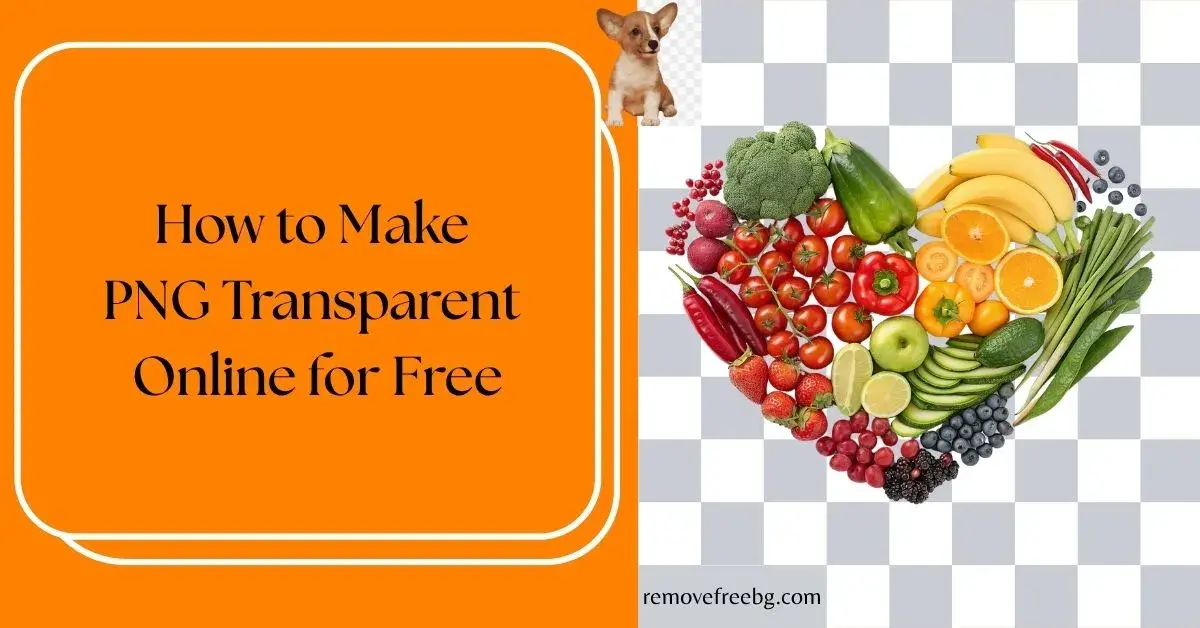
How to Make PNG Transparent Online for Free
A complete guide to creating transparent PNG images online using AI-powered background removal tools.
RemoveBG
July 23, 2026
Table of Contents
- What Does "Make PNG Transparent" Mean?
- Why PNG Is the Preferred Format for Transparency
- Why More People Are Creating Transparent PNGs Online
- How AI Makes a PNG Transparent
- Common Uses for Transparent PNG Images
- Why AI Produces Better Transparent PNGs Than Older Tools
- Common Mistakes When Creating Transparent PNGs
- Tips for Better Transparent PNG Results
- When Should You Choose PNG Instead of JPEG?
- The Future of AI-Powered Image Transparency
- Conclusion
- Frequently Asked Questions
Transparent PNG images have become one of the most useful assets in modern digital content creation. From e-commerce product listings and website graphics to YouTube thumbnails, social media posts, presentations, and marketing campaigns, transparent images make it possible to place subjects on virtually any background without awkward borders or unwanted colors.
Years ago, creating a transparent PNG required professional software, along with knowledge of selection tools, layer masks, and image editing techniques. For many people, producing a clean transparent image was both time-consuming and technically challenging.
Today, artificial intelligence has simplified the entire process. Modern online tools like removefreebg.com can automatically detect the main subject in an image, remove its background, and generate a transparent PNG within seconds. There is no need to install software or manually trace object edges.
Whether you are a business owner, content creator, online seller, designer, student, or marketer, learning how to make PNG transparent online can save time while improving the quality of your digital content.
This guide explains what transparent PNGs are, why they matter, how AI creates them, and the best practices for achieving professional-looking results.
What Does "Make PNG Transparent" Mean?
Many people assume that making a PNG transparent means converting a JPG into a PNG. In reality, the process involves removing the visible background from an image so that only the primary subject remains.
The transparent areas contain no color information. Instead, they use an alpha channel that tells software and web browsers to display nothing behind those pixels.
As a result, the image can be placed on:
-
White backgrounds
-
Colored backgrounds
-
Gradient designs
-
Product pages
-
Presentation slides
-
Videos
-
Websites
without displaying the original background.
Why PNG Is the Preferred Format for Transparency
Different image formats serve different purposes.
JPEG files are excellent for photographs because they compress images efficiently, but they do not support transparent backgrounds.
PNG (Portable Network Graphics) was designed to preserve image quality while supporting transparency.
This makes PNG the preferred format for graphics that need to blend seamlessly into different designs.
Transparent PNGs are commonly used for:
-
Company logos
-
Product images
-
Icons
-
Stickers
-
Website elements
-
Mobile applications
-
Digital advertisements
Why More People Are Creating Transparent PNGs Online
Cloud-based editing has become increasingly popular because it removes many of the barriers associated with traditional desktop software.
Online AI tools offer several advantages.
No Software Installation
Users can edit images directly from a web browser without downloading large applications. This makes transparent PNG creation accessible from almost any device.
Faster Results
Manual background removal often requires careful selection around edges. AI completes this process automatically within seconds.
Beginner-Friendly
Traditional image editing demands knowledge of layers, masks, and selection tools. AI-powered tools eliminate most of these technical requirements.
Accessible Across Devices
Many online editors work on:
-
Desktop computers
-
Laptops
-
Tablets
-
Smartphones
This flexibility makes them useful for creators working remotely or while traveling.
How AI Makes a PNG Transparent
Although the process appears simple, modern AI performs several advanced operations behind the scenes.
Step 1: Image Recognition
The AI analyzes the uploaded image to determine what the primary subject is.
This may include:
-
People
-
Products
-
Animals
-
Vehicles
-
Food
-
Logos
-
Furniture
-
Clothing
Unlike older editing methods, AI understands objects rather than relying solely on color differences.
Step 2: Subject Segmentation
The system identifies which pixels belong to the foreground and which belong to the background. This process is known as image segmentation.
Modern AI models can separate even complex subjects with impressive accuracy.
Step 3: Edge Refinement
Some objects contain intricate details that require additional processing.
Examples include:
-
Hair
-
Fur
-
Tree branches
-
Transparent packaging
-
Lace fabrics
-
Jewelry
AI refines these areas to produce smoother, more natural edges.
Step 4: Background Removal
Once the subject has been isolated, the background is removed. Instead of replacing it with a solid color, the removed area becomes transparent.
The final image is typically exported as a PNG with an alpha channel.
Common Uses for Transparent PNG Images
Transparent images are useful in nearly every area of digital content creation.
E-commerce
Online stores frequently use transparent PNGs to:
-
Display products consistently
-
Create promotional banners
-
Build marketplace listings
-
Design seasonal campaigns
Website Design
Developers often use transparent PNGs for:
-
Logos
-
Navigation icons
-
Hero sections
-
Call-to-action graphics
-
Custom illustrations
Social Media
Creators use transparent images when designing:
-
Facebook advertisements
Marketing Materials
Transparent PNGs simplify the creation of:
-
Posters
-
Flyers
-
Presentations
-
Infographics
-
Digital brochures
Video Production
Editors frequently overlay transparent PNGs onto videos for:
-
Titles
-
Logos
-
Product showcases
-
Animations
-
Watermarks
Why AI Produces Better Transparent PNGs Than Older Tools
Earlier automatic background removal methods often relied on:
-
Magic Wand selections
-
Color keying
-
Green screens
-
Manual masking
These techniques struggled with:
-
Fine hair
-
Soft shadows
-
Transparent objects
-
Reflective surfaces
-
Similar foreground and background colors
Modern AI models have been trained on millions of images. Instead of identifying only colors, they understand object shapes and scene composition.
This significantly improves transparency quality.
Common Mistakes When Creating Transparent PNGs
Using Low-Resolution Images
AI performs best when the original image is sharp and detailed. Blurry images often produce rough edges.
Poor Lighting
Dark or uneven lighting makes it more difficult for AI to distinguish the subject from the background.
Similar Colors
If the subject closely matches the background color, segmentation becomes more challenging.
For example:
-
White products on white backgrounds
-
Black clothing against dark walls
Increasing visual contrast improves accuracy.
Overcompressed Images
Highly compressed images lose edge detail. Whenever possible, upload the highest-quality version available.
Tips for Better Transparent PNG Results
To achieve cleaner background removal:
-
Capture images in high resolution.
-
Use even lighting.
-
Keep the subject clearly visible.
-
Leave some space around the object.
-
Avoid excessive motion blur.
-
Minimize distracting foreground objects.
-
Photograph products from multiple angles when possible.
Good source images allow AI to produce more accurate transparency.
When Should You Choose PNG Instead of JPEG?
PNG is the better option when you need:
-
Transparent backgrounds
-
Sharp logos
-
Icons
-
Product cutouts
-
Marketing graphics
-
Layered design elements
JPEG remains preferable for photographs where transparency is unnecessary and smaller file sizes are important.
Choosing the appropriate format helps balance image quality and performance.
The Future of AI-Powered Image Transparency
Background removal technology continues to evolve beyond simple cutouts.
Future AI-powered tools are expected to provide:
-
Automatic shadow preservation
-
Intelligent reflection handling
-
AI-generated replacement backgrounds
-
Real-time video transparency
-
Multi-object segmentation
-
Smart object relighting
These innovations will make transparent image creation even faster and more accurate for both professionals and casual users.
Conclusion
Creating transparent PNG images no longer requires advanced editing skills or expensive software. AI-powered online tools have transformed a once time-consuming task into a process that takes only a few seconds while delivering results suitable for websites, e-commerce stores, social media, marketing campaigns, and digital design.
Whether you need a transparent product image, logo, profile photo, or promotional graphic, learning how to make PNG transparent online allows you to produce professional-quality visuals.
By starting with a high-quality source image and using AI-assisted background removal, you can create versatile PNG files that integrate seamlessly into virtually any digital project.
Visit Removefreebg to make PNG transparent
Download the App | Android | IOS |
Frequently Asked Questions
What does it mean to make a PNG transparent?
Making a PNG transparent means removing the background from an image so only the main subject remains. The transparent areas are stored using an alpha channel, allowing the image to blend seamlessly with different backgrounds.
Can I make a PNG transparent online for free?
Yes. Many AI-powered online background removal tools allow users to upload an image, remove its background automatically, and download a transparent PNG without installing software.
Why is PNG better than JPEG for transparent images?
PNG supports transparency through an alpha channel, while JPEG does not. This makes PNG the preferred format for logos, product images, icons, and graphics that need to appear on different backgrounds.
Does making a PNG transparent reduce image quality?
Not when using a high-quality source image and a reliable AI tool. The quality of the transparent PNG largely depends on the resolution and clarity of the original image.
Can I use transparent PNGs for e-commerce?
Yes. Transparent PNGs are widely used in e-commerce for product catalogs, promotional banners, advertising creatives, and marketplace listings because they create a cleaner and more professional appearance.
# Related Posts

How to Remove Background From Jewelry Photos Without Losing Fine Details
A practical guide to creating clean jewelry cutouts while preserving delicate chains, stones, metal edges, and small details.
RemoveBG
Oct. 15, 2026
How to Create a Transparent Product Image for Online Stores
A practical guide to turning ordinary product photos into clean, reusable transparent images for ecommerce
RemoveBG
Oct. 15, 2026
Common AI Background Removal Mistakes and How to Fix Them
A practical troubleshooting guide for cleaner, more accurate AI-generated cutouts
RemoveBG
Oct. 1, 2026