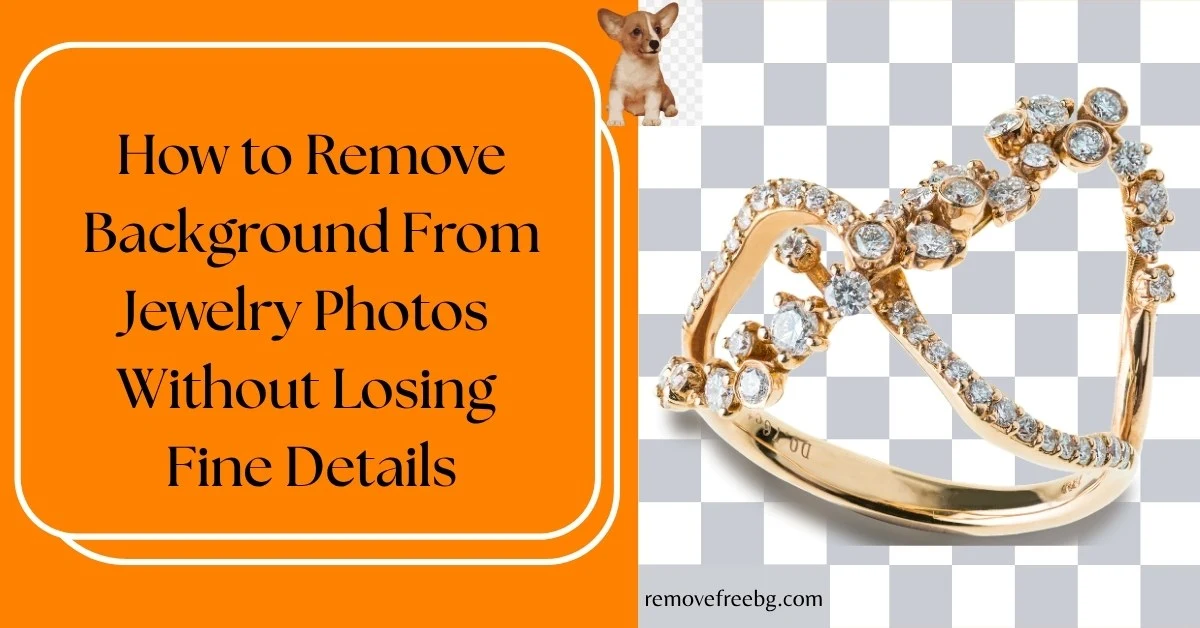
How to Remove Background From Jewelry Photos Without Losing Fine Details
A practical guide to creating clean jewelry cutouts while preserving delicate chains, stones, metal edges, and small details.
RemoveBG
Oct. 15, 2026
Table of Contents
- Quick Answer: How to Remove a Jewelry Background Without Losing Details
- Why Jewelry Is Difficult to Remove From a Background
- The Jewelry Details Most Likely to Be Lost
- Start With a High-Quality Jewelry Photograph
- Create Contrast Between the Jewelry and Background
- Keep the Background Simple
- Use AI Background Removal for the Initial Cutout
- Inspect Thin Chains at High Magnification
- Check the Spaces Inside Rings and Bracelets
- Be Careful With Reflective Metal
- Gemstones Create a Different Problem
- Watch for White or Dark Halos
- Do Not Mistake Natural Highlights for Background
- Preserve Small Details Such as Prongs and Clasps
- Avoid Excessive Cropping
- Consider the Shadow Separately
- Use the Right Export Format
- Jewelry-Specific Background Removal Problems
- How to Photograph Jewelry for Easier AI Background Removal
- How to Use RemoveFreeBG for Jewelry Photos
- How to Prepare Jewelry Images for Ecommerce
- Common Mistakes When Removing Jewelry Backgrounds
- A Professional Jewelry Background-Removal Checklist
- Final Takeaway
- Frequently Asked Questions
Jewelry is one of the more demanding subjects for background removal.
A product such as a ring, necklace, bracelet, earring, or watch can contain extremely thin elements, reflective surfaces, gemstones, small gaps, and intricate shapes.
A background remover may successfully isolate the main object while still removing a tiny chain link, softening a gemstone edge, or leaving part of the original background between the jewelry's details.
That makes jewelry photography different from removing the background from a simple solid object.
For ecommerce and product photography, the goal is not simply to produce a transparent image. The cutout must continue to represent the jewelry accurately.
A good jewelry photo background remover should therefore be used as part of a workflow that considers the original photograph, subject-background contrast, resolution, reflections, fine edges, and final export.
Quick Answer: How to Remove a Jewelry Background Without Losing Details
For the best results:
-
Start with the highest-resolution jewelry photograph available.
-
Use a simple, contrasting background when photographing the piece.
-
Make sure chains, prongs, gemstones, and other fine details are in focus.
-
Use AI background removal to create the initial cutout.
-
Inspect thin elements and small gaps at high magnification.
-
Check for halos and leftover background pixels.
-
Test the cutout against both light and dark backgrounds.
-
Export to a format that preserves transparency, such as PNG or WebP.
-
Keep the original photograph as a master.
The most important principle is simple:
Do not judge the background removal only by whether the large outline of the jewelry looks correct. Check the small spaces and fine structures too.
Why Jewelry Is Difficult to Remove From a Background
Jewelry can look visually simple in a photograph, but its pixel structure can be extremely complex.
Consider a necklace.
The AI may need to distinguish the chain, individual links, the clasp, gemstones, metal surfaces, reflections, shadows, and the background visible through the gaps. A necklace can therefore contain both solid foreground regions and tiny areas where the background is visible.
A ring creates similar challenges around its inner opening. An earring may contain thin hooks or wires. A bracelet may have dozens of small links.
The segmentation system has to determine which pixels belong to the jewelry and which belong to the surrounding scene. This becomes particularly difficult when the jewelry and background have similar brightness or when reflective metal picks up colors from the environment.
The Jewelry Details Most Likely to Be Lost
Not every part of a jewelry photograph presents the same segmentation challenge.
-
Thin chains: Fine necklace and bracelet chains can contain extremely narrow sections. If the chain occupies only a small number of pixels, an AI system may classify some of it as background.
-
Prongs: The small metal structures holding gemstones can disappear if they blend into the stone or surrounding background.
-
Gemstone edges: Transparent or highly reflective stones can have boundaries that are difficult to distinguish from their surroundings.
-
Earring hooks: Thin hooks and wires are particularly vulnerable when photographed against a similar-colored background.
-
Small gaps: The spaces between chain links, stones, and metal components can accidentally retain background pixels.
-
Fine engravings: Small surface details may not survive if the original photograph is too low-resolution or heavily compressed.
-
Shadows: A jewelry shadow may be removed along with the background or leave an unwanted edge around the piece.
These details can be tiny in the original photograph but highly noticeable when the image is enlarged for an ecommerce page.
Start With a High-Quality Jewelry Photograph
The quality of the source image has a major effect on the final cutout.
A background remover can only work with the visual information present in the image. If a necklace chain is blurred into a few pixels, the AI cannot reliably reconstruct every individual link. For jewelry photography, use the highest-resolution original available.
Avoid starting with screenshots, social-media downloads, heavily compressed images, tiny thumbnails, or photographs that have already been resized several times.
If possible, use the original camera or smartphone photograph.
Why Resolution Matters
Fine jewelry features can be only a few pixels wide.
A higher-resolution photograph gives the segmentation system more information about chain edges, prongs, stone boundaries, hooks, engravings, and small gaps.
Resolution does not guarantee perfect segmentation, but insufficient resolution makes fine-detail preservation much harder.
Create Contrast Between the Jewelry and Background
One of the simplest ways to improve background removal is to make the jewelry visually distinct from its surroundings.
Imagine photographing a silver necklace against a light gray background. The chain may be difficult to separate because both the metal and background occupy similar brightness ranges.
Now place the same necklace against a darker, relatively uniform background. The chain becomes easier to distinguish.
The same principle applies in reverse. A dark gemstone may be easier to isolate against a lighter background.
When photographing jewelry, consider: background brightness, background color, reflections, shadows, and the color of the jewelry itself.
The goal is not necessarily to create a dramatic photograph. It is to provide clear visual separation around important edges.
Keep the Background Simple
A complicated background can create additional segmentation problems.
Jewelry photographs sometimes include fabric, display stands, boxes, flowers, hands, decorative objects, or textured surfaces. These elements may be useful for lifestyle photography, but they make automated isolation more difficult.
If your goal is specifically to create a clean jewelry cutout, a relatively simple background is usually easier to process.
A simple setup also makes it easier to identify whether a background-removal result is actually correct.
Use AI Background Removal for the Initial Cutout
Once you have a suitable photograph, an AI background-removal tool can perform the initial segmentation.
For example, RemoveFreeBG can be used to isolate a jewelry subject from its original background. Instead of manually tracing the entire necklace, ring, bracelet, or earring, the AI attempts to identify the foreground automatically.
For straightforward images, this can save considerable time.
However, jewelry requires a more careful review than a simple product with a large, solid silhouette. The first AI result should be treated as the starting cutout, not automatically as the final product asset.
Inspect Thin Chains at High Magnification
This is one of the most important steps in jewelry background removal.
A necklace can look perfect when viewed at normal size while several chain sections have actually disappeared. Zoom in around individual links, chain intersections, clasps, pendant connections, bracelet edges, and earring hooks.
Look for gaps where the jewelry suddenly becomes thinner or disappears. If a section of chain is missing, check the original photograph.
-
Was the chain clearly visible?
-
Was it in focus?
-
Did it have enough contrast against the background?
If the original image contains enough information but the segmentation is still incorrect, additional refinement may be necessary.
Check the Spaces Inside Rings and Bracelets
Background removal is not only about the outside edge.
Jewelry frequently contains internal background areas.
-
A ring has a hole.
-
A bracelet can contain gaps between links.
-
A pendant may have an open design.
-
An earring may contain several enclosed areas.
These regions should remain transparent when they are actually part of the background.
A common mistake is to inspect only the outer silhouette and assume the image is finished. Instead, check both outside the jewelry and inside the jewelry
A good transparent jewelry image should preserve the structure of the object while correctly removing the background visible through its open areas.
Be Careful With Reflective Metal
Gold, silver, platinum, polished steel, and other metals are reflective. The color you see on the surface may partly come from the surrounding environment. This creates a difficult segmentation situation.
A silver bracelet photographed against a gray background may contain gray reflections that resemble the background. A gold ring photographed against a warm surface may contain colors similar to the surface around it.
The AI therefore cannot always rely on color alone.
Better Approach
When possible, photograph reflective jewelry using controlled lighting and a relatively simple environment. Avoid placing the jewelry against a background that is extremely similar to the colors reflected on its surface.
For important commercial photographs, lighting quality can be just as important as the background-removal tool.
Gemstones Create a Different Problem
Gemstones can be transparent, translucent, highly reflective, faceted, dark, brightly colored, or visually similar to the background.
A diamond, for example, does not behave like an opaque black product. Its edges may be defined by highlights, reflections, and subtle changes in brightness.
A colored gemstone may reflect the surrounding environment.
What Should You Check?
After background removal, inspect the stone's outer edge, internal reflections, prongs, small stones surrounding the main gemstone, and the area immediately around the setting.
The objective is to remove the background without accidentally making the gemstone appear incomplete or unnaturally clipped.
Watch for White or Dark Halos
Jewelry is particularly sensitive to edge halos because metal surfaces can be highly defined against a contrasting background.
A white outline around a silver necklace can make the product look poorly cut out. A dark fringe around a gold ring can be equally noticeable. These halos often come from background-colored pixels remaining near the subject boundary.
Test The Cutout Against Different Colors
Try:
-
White
-
Black
-
A brand color
-
A contrasting photograph
An edge problem that is invisible against one background may become obvious against another. This is one of the fastest ways to identify whether the cutout is genuinely clean.
Do Not Mistake Natural Highlights for Background
-
A jewelry photograph can contain very bright highlights.
-
A polished ring may have white reflections on its surface.
-
A gemstone may contain bright points of reflected light.
-
An AI system needs to distinguish these highlights from the actual background.
This is another reason not to judge a cutout purely by color.
A bright highlight on the jewelry may look visually similar to a white background, but it belongs to the object and should remain. When reviewing the cutout, compare it carefully with the original photograph before assuming a bright region is unwanted background.
Preserve Small Details Such as Prongs and Clasps
Jewelry often has structural details that are essential to its appearance. For example, a gemstone ring may contain tiny prongs around the stone. A necklace may have a small clasp. An earring may have a narrow hook.
If these features disappear, the product can look materially different from the original.
Check The Product Against The Original
Keep the original photograph open while reviewing the transparent version.
Ask:
-
Is the number of stones still correct?
-
Are the prongs visible?
-
Is the clasp intact?
-
Are chain links missing?
-
Are the earring hooks complete?
-
Are small decorative elements still present?
This comparison is particularly important for ecommerce because the edited image should accurately represent the product.
Avoid Excessive Cropping
Once the background has been removed, crop the image carefully. The canvas should contain enough space around the jewelry for the intended layout.
Do not crop so tightly that:
-
chain ends are cut off,
-
earrings touch the edge,
-
bracelets lose their shape,
-
or a product looks cramped.
At the same time, excessive empty space can make a product appear unnecessarily small.
For ecommerce, consistent framing can be particularly important when multiple jewelry products appear together.
Consider the Shadow Separately
Jewelry shadows can create depth, but they can also complicate background removal. A natural shadow belongs to the original lighting environment. If the jewelry is moved onto a new background, that shadow may no longer make physical sense.
For example, a necklace photographed on a surface may have a soft shadow extending in one direction. Placing the necklace into a graphic with different lighting can make the original shadow look artificial.
You therefore have three choices:
-
Keep the original shadow when the final background and lighting are compatible.
-
Remove the shadow when you need a clean catalog-style cutout.
-
Create a new shadow when the jewelry will be composited into a different environment.
The right choice depends on the final design.
Use the Right Export Format
Once the jewelry has been isolated, make sure the export format preserves transparency.
PNG
PNG is a strong option for a transparent jewelry master because it supports alpha transparency and lossless compression. This is useful when the image will be edited or reused.
WebP
WebP also supports transparency and offers both lossy and lossless compression. It can therefore be useful for web delivery when file size matters.
JPG
JPEG does not support an alpha channel. If you save a transparent jewelry cutout as JPG, the transparent area cannot remain transparent.
For a reusable transparent jewelry asset:
PNG or WebP → appropriate
JPG → only after a background has been added
Jewelry-Specific Background Removal Problems
Different jewelry types create different challenges.
|
Jewelry type |
Common challenge |
What to inspect |
|
Necklace |
Thin chains and links |
Chain continuity |
|
Bracelet |
Small links and gaps |
Internal spaces |
|
Ring |
Inner opening and prongs |
Stone setting |
|
Earrings |
Hooks and thin wires |
Fine edges |
|
Pendant |
Small decorative details |
Edges and openings |
|
Diamond jewelry |
Reflections and highlights |
Stone boundaries |
|
Gold jewelry |
Warm reflections |
Metal edges |
|
Silver jewelry |
Low contrast on light backgrounds |
Chain and surface edges |
|
Gemstone jewelry |
Transparency and reflections |
Stone outline |
|
Beaded jewelry |
Many small components |
Individual beads and gaps |
This is why there is no single "perfect" background-removal setting for every jewelry photograph.
How to Photograph Jewelry for Easier AI Background Removal
If you control the photography process, prevention is better than correction.
-
Use a stable setup: Keep the jewelry still and properly positioned. Movement can introduce blur, which makes thin details harder to isolate.
-
Use sufficient lighting: Make sure the jewelry is bright enough to reveal its edges without creating excessive glare.
-
Avoid harsh reflections: Highly reflective surfaces can pick up distracting shapes from the surrounding environment.
-
Create background separation: Use a background that contrasts reasonably with the jewelry.
-
Focus carefully: Macro-style jewelry photography often has a shallow depth of field. Make sure important details are actually in focus.
-
Capture at high resolution: Fine chains and stones benefit from additional image information. These steps can make a larger difference than trying to fix a poor photograph afterward.
How to Use RemoveFreeBG for Jewelry Photos
RemoveFreeBG can be used to create the initial transparent cutout from a jewelry photograph.
A practical workflow is:
Upload jewelry photo → remove background → inspect fine details → test transparency → export
-
For a necklace, inspect the entire chain.
-
For a ring, inspect the center opening and gemstone setting.
-
For earrings, check the hooks and small components.
-
For bracelets, inspect the links and spaces between them.
RemoveFreeBG is also available on Android and iOS, so jewelry photographs captured or stored on a phone can be processed within a mobile workflow. The tool can save the repetitive work of manually selecting the general subject, while careful review remains important for fine jewelry details.
How to Prepare Jewelry Images for Ecommerce
A clean transparent cutout can be useful as one component of a broader ecommerce image strategy.
For example, a jewelry product page could contain:
-
Primary product image: A clean, standardized presentation.
-
Additional product photograph: A close-up showing detail and texture.
-
Lifestyle photograph: The jewelry being worn or used in context.
-
Transparent product asset: A flexible cutout for promotional graphics and other digital content.
Using different image types allows the store to communicate both what the product looks like and how it fits into a real context.
A transparent cutout should therefore complement product photography rather than replace every other type of image.
Common Mistakes When Removing Jewelry Backgrounds
-
Using a low-resolution photograph: Fine details may already be lost before background removal begins.
-
Choosing a similar-colored background: The AI has less visual information to distinguish the jewelry from its surroundings.
-
Checking only the outer edge: Internal gaps and openings can still contain background fragments.
-
Ignoring thin chains: A necklace can look fine overall while individual links have disappeared.
-
Removing natural highlights: Bright reflections can be part of the jewelry itself.
-
Over-cleaning the edges: Aggressive refinement can remove legitimate metal or gemstone details.
-
Saving the transparent image as JPG: JPEG cannot preserve transparency.
-
Forgetting the original photograph: Always retain the original source so you can compare or create another version later.
-
Judging only at thumbnail size: Tiny segmentation errors may become visible when the image is displayed at a larger size.
A Professional Jewelry Background-Removal Checklist
Before publishing a jewelry cutout, check:
Source
-
Is the original photograph high resolution?
-
Is the jewelry in focus?
-
Is the lighting adequate?
-
Is there enough contrast?
Segmentation
-
Is the outer edge clean?
-
Are chain links intact?
-
Are earring hooks present?
-
Are prongs visible?
-
Are clasps preserved?
-
Are internal gaps transparent?
-
Are gemstones complete?
Edge quality
-
Is there a white halo?
-
Is there a dark fringe?
-
Are there leftover background pixels?
-
Are important highlights still present?
Final image
-
Is the product accurately represented?
-
Is the crop appropriate?
-
Is the transparency preserved?
-
Is the file format suitable?
-
Does it look correct at its intended display size?
This checklist catches many problems before the image reaches a product page or advertising campaign.
Final Takeaway
Jewelry background removal is less forgiving than removing the background from a large, solid object.
A clean result depends on preserving the details that make the jewelry identifiable: chains, links, stones, prongs, hooks, openings, reflections, and fine edges.
The best workflow starts with a strong photograph, uses AI to create the initial cutout, and then checks the result carefully rather than assuming the first output is perfect.
If you are preparing jewelry for ecommerce, keep the original photograph, inspect the transparent version at high magnification, test it against contrasting backgrounds, and export it in a format that preserves transparency.
A useful rule is:
Better source image → clearer segmentation → fewer lost details → more accurate jewelry cutout.
For jewelry product photography, the objective is not simply to remove everything behind the product. It is to remove the background without removing the product itself.
Frequently Asked Questions
What is the best jewelry photo background remover?
The best tool depends on the complexity of the jewelry and the quality of the original photograph. For straightforward jewelry images, an AI background remover can quickly create an initial cutout. Fine jewelry should still be inspected carefully for missing chains, prongs, gemstones, and small details.
How do I remove the background from jewelry without losing details?
Start with a high-resolution, well-lit photograph with good contrast between the jewelry and background. After AI removal, inspect thin chains, gemstones, prongs, hooks, gaps, and reflective areas before exporting.
Why does AI remove parts of my jewelry?
Very thin or low-contrast elements may contain too little visual information for the segmentation system to distinguish them reliably from the background. This commonly affects chains, hooks, wires, and small decorative details.
How do I remove the background from a necklace without losing the chain?
Use a high-resolution photograph with strong contrast between the chain and background. After removal, zoom into the entire chain and check for missing links or sections. If the chain is already blurred or extremely small in the source image, changing tools may not fully recover the missing information.
Can AI remove the background from diamond jewelry?
Yes, but diamonds and other reflective or transparent gemstones can be more difficult than opaque products. Check the gemstone edges, reflections, prongs, and surrounding background carefully after processing.
Should jewelry product photos have transparent backgrounds?
Transparent cutouts are useful for ecommerce design, advertisements, social media graphics, and other flexible layouts. They should generally complement, rather than completely replace, contextual and lifestyle jewelry photography.
What format should I use for transparent jewelry images?
PNG is a reliable choice for a transparent master. WebP can also preserve transparency and may be useful for web delivery. JPG should only be used when transparency is no longer required.
Why is there a white outline around my jewelry after background removal?
The outline may consist of pixels from the original background that remain around the jewelry's edge. Test the cutout against a contrasting background to make the problem easier to see.
Can I remove a jewelry background on my phone?
Yes. A suitable jewelry photograph can be processed through mobile background-removal tools. RemoveFreeBG is available on Android and iOS for mobile workflows.
# Related Posts

How to Create a Transparent Product Image for Online Stores
A practical guide to turning ordinary product photos into clean, reusable transparent images for ecommerce
RemoveBG
Oct. 15, 2026

Common AI Background Removal Mistakes and How to Fix Them
A practical troubleshooting guide for cleaner, more accurate AI-generated cutouts
RemoveBG
Oct. 1, 2026

What Image Format Should You Use After Removing a Background? PNG, JPG, or WebP
A practical technical guide to choosing the right image format after removing a background.
RemoveBG
Sept. 17, 2026