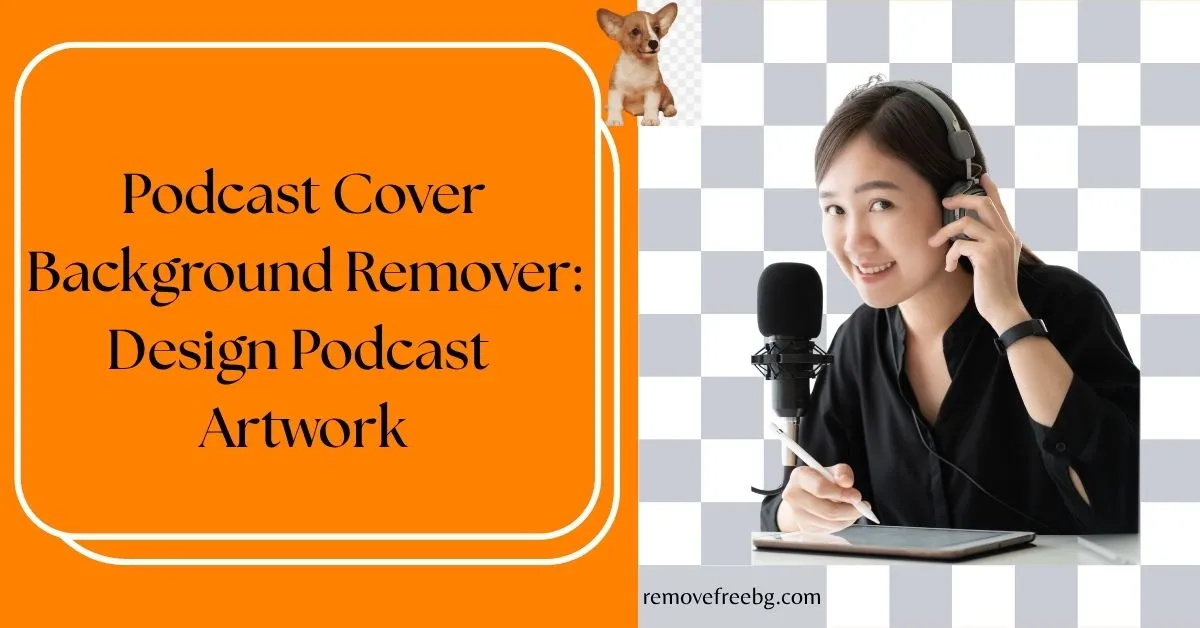
Podcast Cover Background Remover: Design Podcast Artwork
A Technical Guide for Podcasters to Create Platform-Ready Covers Using AI Background Removal
RemoveBG
April 16, 2026
Table of Contents
- Why Podcast Cover Design Requires Background Control
- What a Podcast Cover Background Remover Does
- Podcast Artwork Requirements (Technical Standards)
- How Podcasters Use Background Removal in Cover Design
- Designing a Strong Podcast Aesthetic After Background Removal
- Common Mistakes in Podcast Cover Design
- Workflow: Using a Podcast Cover Background Remover Efficiently
- Why Clean Podcast Covers Improve Discovery
- The Future of Podcast Artwork Design
- Final Thoughts
- FAQs
Podcast discovery is visual before it is auditory.
Before a listener hears your voice, they see your cover. That small square image, displayed on platforms like Spotify and Apple Podcasts, determines whether your podcast looks worth exploring.
In crowded podcast directories, cover art must communicate identity instantly. Clarity, contrast, and visual hierarchy matter more than artistic complexity.
This is where a podcast cover background remover becomes a practical design tool. It allows podcasters to isolate subjects, remove distracting environments, and build a consistent visual identity across episodes and platforms.
Why Podcast Cover Design Requires Background Control
Podcast covers are typically displayed at small sizes, often below 200 pixels on mobile screens. At that scale, background details blur together and compete with the main subject.
A cluttered background reduces:
-
Text readability
-
Subject visibility
- Brand recognition
Removing the background simplifies the visual structure, making the core message easier to understand at a glance.
For podcasts, clarity is not aesthetic preference, it is a discovery factor.
What a Podcast Cover Background Remover Does
A podcast cover background remover uses AI-based segmentation to separate the subject (host, logo, or object) from the background.
Technically, this involves:
-
Foreground detection
-
Pixel-level masking
-
Edge refinement (especially for hair and soft edges)
-
Transparent layer generation
The result is a clean subject that can be placed on a controlled background aligned with your podcast’s brand.
Podcast Artwork Requirements (Technical Standards)
Before designing covers, podcasters must meet platform specifications.
Most major platforms, including Spotify and Apple Podcasts, recommend:
-
Size: 3000 × 3000 pixels
-
Format: JPG or PNG
-
Color Mode: RGB
-
File Size: Typically under 500 KB to 1 MB
High resolution ensures your cover looks sharp across devices, from mobile screens to desktop displays.
How Podcasters Use Background Removal in Cover Design
Host-Focused Covers
Many podcasts feature the host’s face as the primary visual anchor. Background removal allows creators to isolate the host and place them on a clean, branded backdrop.
This improves:
-
Facial visibility
-
Emotional expression clarity
-
Personal brand recognition
Logo-Centric Branding
For brand-driven podcasts, logos are often the focal point. Removing backgrounds ensures the logo remains sharp and uncluttered, especially at smaller sizes.
Clean backgrounds also prevent visual conflict between logo colors and environmental elements.
Template-Based Episode Covers
Some podcasters create episode-specific covers. Background removal allows reuse of the same subject across multiple designs with different titles or themes.
This supports:
-
Scalable content production
-
Consistent visual identity
-
Faster design workflows
Designing a Strong Podcast Aesthetic After Background Removal
Removing the background is only the first step. The replacement background determines the final aesthetic.
Effective podcast covers typically use:
-
Solid colors for maximum contrast
-
Subtle gradients for depth
-
Minimal textures to avoid distraction
-
High contrast between subject and text
The goal is to maintain readability even at small sizes.
Common Mistakes in Podcast Cover Design
-
Overcrowded Layouts: Adding too many elements after background removal defeats the purpose of simplification.
-
Poor Contrast: If text blends into the background, the cover becomes unreadable on mobile devices.
-
Ignoring Platform Scaling: Designing at full resolution without testing at smaller sizes leads to poor real-world performance.
-
Artificial Cut-Out Edges: Unrefined edges around the subject reduce perceived professionalism.
Workflow: Using a Podcast Cover Background Remover Efficiently
A structured workflow improves consistency:
-
Capture or select a high-quality image
-
Use a background remover to isolate the subject
-
Refine edges if necessary
-
Place subject on a brand-aligned background
-
Add typography with clear hierarchy
-
Export in platform-compliant format
-
Test visibility at small sizes
This ensures the final design performs well across platforms.
Why Clean Podcast Covers Improve Discovery
Podcast platforms rely on visual browsing behavior. Users scan covers quickly before selecting content.
-
Improve recognition speed
-
Increase click probability
-
Strengthen brand recall
A well-designed cover does not need explanation. It communicates instantly.
The Future of Podcast Artwork Design
AI tools are evolving beyond background removal. Future systems may:
-
Suggest optimal color palettes based on genre
-
Analyze cover readability at different sizes
-
Recommend layout adjustments based on user behavior
-
Automate branding consistency across episodes
As competition increases, data-driven design will become more important.
Final Thoughts
A podcast cover background remover is not just an editing tool; it is a visual control mechanism.
For podcasters building a recognizable brand, removing the background eliminates noise and allows intentional design decisions. This leads to cleaner visuals, stronger identity, and better performance across platforms.
In podcast discovery, clarity wins.
Visit Removefreebg.com to Remove Podcast Cover Background
Download the App | Android | IOS |
FAQs
What is a podcast cover background remover?
It is an AI tool that removes the background from an image, allowing podcasters to isolate subjects and create cleaner, more controlled cover designs.
Why is background removal important for podcast covers?
It improves clarity, enhances subject visibility, and ensures better readability at small display sizes.
What is the ideal size for podcast cover art?
Most platforms recommend 3000 × 3000 pixels in RGB format.
Can I use free tools for podcast cover background removal?
Yes, free tools work for basic designs, but premium tools may offer better edge quality and higher resolution exports.
Should podcast covers include photos or just text?
Both approaches work. The choice depends on branding strategy, but clarity and readability should always be prioritized.
# Related Posts

How to Remove Background From Jewelry Photos Without Losing Fine Details
A practical guide to creating clean jewelry cutouts while preserving delicate chains, stones, metal edges, and small details.
RemoveBG
Oct. 15, 2026

How to Create a Transparent Product Image for Online Stores
A practical guide to turning ordinary product photos into clean, reusable transparent images for ecommerce
RemoveBG
Oct. 15, 2026

Common AI Background Removal Mistakes and How to Fix Them
A practical troubleshooting guide for cleaner, more accurate AI-generated cutouts
RemoveBG
Oct. 1, 2026