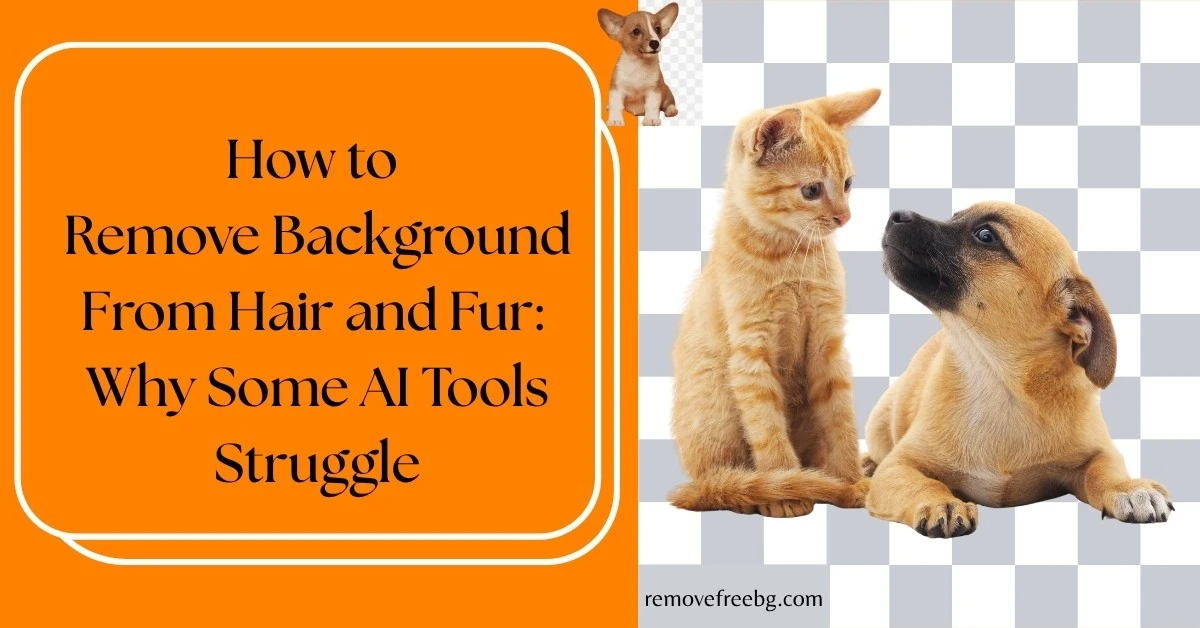
How to Remove Background From Hair and Fur: Why Some AI Tools Struggle
Understand the technical challenges behind fine-edge background removal and how AI handles hair, fur, and other complex subjects.
RemoveBG
Sept. 3, 2026
Table of Contents
- Why Is Hair So Difficult to Remove From a Background?
- How AI Background Removal Identifies Hair and Fur
- What Is an Alpha Matte?
- Why Simple Background Erasers Often Fail With Hair
- Hair Color and Background Contrast Matter
- Why Loose Hair Strands Are Especially Difficult
- Why Fur Can Be Even More Complicated
- Shadows Create Another Problem
- Why White or Light Hair Can Be Difficult
- What Causes a Halo Around Hair?
- How AI Can Reduce Hair and Fur Artifacts
- Image Resolution Matters More Than You Might Think
- How to Remove Background From Hair More Successfully
- Removing Hair Backgrounds With RemoveFreeBG
- When Should You Manually Refine Hair?
- Hair Background Removal for Different Types of Content
- Hair, Fur, and Whiskers: What Is Hardest?
- Why Background Removal Sometimes Removes Too Much
- Does a Better Background Make AI Removal Easier?
- The Technical Reality: AI Cannot Always Recover Missing Detail
- Conclusion
- Frequently Asked Questions
Removing the background from a product with a clear outline is relatively easy. Removing the background from a person with loose hair or an animal covered in fur is a different problem entirely.
Hair strands can be only a few pixels wide. Fur can contain hundreds of irregular edges. Some strands may be partially transparent, overlap with one another, or have colors very similar to the background.
This makes removing the background from hair one of the more difficult tasks for image-editing software.
AI background removers have become significantly better at handling these details, but they are not simply identifying an object and deleting everything around it. They have to determine where the subject ends, where the background begins, and which partially transparent pixels belong to the subject.
That process becomes particularly challenging around hair and fur.
This guide explains why background removal struggles with hair and fur, what happens technically during AI segmentation, what affects the final result, and how to get cleaner cutouts.
Why Is Hair So Difficult to Remove From a Background?
The fundamental problem is the edge.
For a solid object such as a shoe, the boundary between the shoe and the background is relatively easy to identify. One side belongs to the shoe; the other belongs to the background.
Hair does not behave that way.
A single strand can:
-
Curve unpredictably
-
Overlap another strand
-
Contain several colors
-
Be partially transparent
-
Blend into the background
-
Cast a small shadow
-
Have only a few pixels of visible width
The same problem exists with fur. Instead of one clean boundary, an animal may have thousands of tiny transitions between fur and background.
This means that background removal is not simply an object detection problem. It is also an edge and transparency problem.
How AI Background Removal Identifies Hair and Fur
An AI background remover typically uses some form of image segmentation to distinguish foreground content from the background.
At a high level, the system analyzes visual information such as:
-
Color
-
Texture
-
Shape
-
Contrast
-
Spatial relationships
-
Object characteristics
-
Edge information
The model then estimates which areas belong to the foreground and which belong to the background. But there is an important distinction between segmentation and a simple cutout.
A basic segmentation process might classify pixels as: Foreground or Background
That can work well for solid objects.
Hair often requires something more nuanced.
A pixel at the edge of a hair strand may contain a mixture of hair color and background color. Treating that pixel as entirely foreground or entirely background can produce an unnatural edge.
This is why advanced background-removal systems may use soft masks or alpha mattes to represent partially transparent boundary areas.
What Is an Alpha Matte?
An alpha matte describes how much of a pixel belongs to the foreground.
Instead of treating a pixel as simply:
-
100% subject
-
0% subject
the system can estimate intermediate values.
For example, an edge pixel might be mostly background but contain some information from a fine hair strand.
This allows the final image to preserve softer transitions.
Conceptually, the final pixel can be represented as a combination of the foreground and background: Output = Foreground × Alpha + Background × (1 − Alpha)
Here, alpha represents the opacity of the foreground.
An alpha value close to 1 means the pixel is mostly part of the subject. An alpha value close to 0 means it is mostly background.
Values between those extremes are useful for fine details such as individual hair strands.
This is one reason why high-quality background removal can look much more natural than simply cutting around the outside of a person or animal.
Why Simple Background Erasers Often Fail With Hair
Basic background-removal methods often rely heavily on color differences.
That creates an obvious problem.
Imagine a person with brown hair standing against a dark brown background.
The hair and background may have very similar colors.
A simple color-based method may struggle to determine where the hair ends.
Now consider blonde hair against a pale yellow background.
The same issue occurs.
The problem is not necessarily that the hair is difficult to see with the human eye. It is that the available pixel information does not always provide a strong enough distinction between foreground and background.
AI models can use additional contextual information, but even AI cannot reliably recover details that are not present in the source image.
Hair Color and Background Contrast Matter
The difference between the subject and background is one of the most important factors affecting background removal.
A high-contrast example might be: Dark hair + light background
A low-contrast example might be: Brown hair + brown background
The first situation gives the segmentation system a clearer visual boundary.
The second makes the boundary ambiguous.
This is why two photographs of the same person can produce very different background-removal results.
The AI model may be identical. The input conditions are not.
Why Loose Hair Strands Are Especially Difficult
Loose strands create a problem known as fine-detail segmentation.
Consider a portrait with a few strands of hair extending away from the main head shape. Those strands may occupy only a small number of pixels.
If the AI removes too much, the strands disappear. If it keeps too much, pieces of the original background remain around the hair.
This creates the familiar problems of:
-
Missing hair
-
Jagged hair edges
-
White or colored halos
-
Background fragments
-
Artificial-looking outlines
A good background-removal system has to balance these competing errors.
Why Fur Can Be Even More Complicated
Fur introduces many of the same challenges as hair, but across a much larger area.
Animals can have:
-
Long fur
-
Short fur
-
Curly fur
-
Fine undercoats
-
Different colored strands
-
Overlapping fur
-
Fur partially covering the background
The boundary is therefore not a single smooth line.
A dog with short, dark fur may be relatively straightforward to isolate. A long-haired cat photographed against a similarly colored background is considerably more difficult.
The AI needs to determine which tiny variations represent actual fur and which belong to the background.
Shadows Create Another Problem
A subject does not always have a clean boundary.
Hair and fur can cast shadows onto the background.
The AI must determine whether a darker region represents:
-
Hair
-
Fur
-
A shadow
-
Background texture
If the system includes too much of the shadow, the resulting cutout may contain unwanted background information. If it removes too much, the subject can lose natural depth.
This is particularly noticeable when the original image was photographed with strong directional lighting.
Why White or Light Hair Can Be Difficult
White hair might seem easy to isolate from a dark background, but it can create another issue: soft edges.
Individual light-colored strands may blend gradually into surrounding pixels.
The same applies to white or light-colored fur.
If the original image contains strong highlights, some strands may become very bright and lose clear internal detail.
An AI model has to distinguish between the actual strand and the surrounding light transition.
This is another reason source image quality matters.
What Causes a Halo Around Hair?
A halo occurs when pixels from the original background remain around the subject.
It is particularly visible when a cutout created against a white background is placed onto a dark background.
For example, imagine someone photographed against a white wall. The outer pixels around their dark hair may contain a mixture of dark hair and white background.
When the background is removed, those light pixels can remain. The result looks like a faint white outline around the hair.
This is not necessarily a failure to identify the person. It can be a problem with edge pixels and color contamination.
How AI Can Reduce Hair and Fur Artifacts
Modern AI background-removal systems can use more than simple color thresholds.
They can analyze the entire image to estimate:
-
Where the subject is located
-
What type of object it is
-
Where likely boundaries occur
-
Which regions contain fine details
-
How foreground and background interact
A segmentation model may first identify the broad subject and then refine its boundaries.
The exact architecture varies between AI systems, so not every background remover handles hair and fur equally well. This is why users may see noticeably different results from different AI tools using the same photograph.
Image Resolution Matters More Than You Might Think
A hair strand cannot be recovered accurately if the original image contains too little information about it.
Suppose a strand is only a few pixels wide in the source image. After heavy compression or resizing, those pixels may become blurred together with the background.
At that point, the AI has less information to work with.
For better results:
-
Use the original photograph when possible.
-
Avoid heavily compressed images.
-
Avoid repeatedly resizing the same image.
-
Use sufficient resolution for the subject.
-
Keep important hair or fur details in focus.
AI can estimate missing information to some extent, but it cannot reliably reconstruct every detail that has been destroyed by poor image quality.
How to Remove Background From Hair More Successfully
If you need to remove a background from a portrait, a few practical steps can improve the result.
Use a Clear Original Image
Start with the highest-quality image available. A sharp portrait provides more useful information around individual strands.
Choose Good Lighting
Even lighting can make the subject easier to distinguish from the background. Strong shadows and extreme backlighting can complicate segmentation.
Look for Background Contrast
A noticeable difference between hair and background makes separation easier. You do not need a perfectly contrasting background, but extreme color similarity can make the task harder.
Avoid Heavy Compression
Compressed images often contain artifacts around edges. These artifacts can be interpreted as part of the subject or background.
Inspect the Hair After Processing
Always zoom in around the head or fur boundary. A result can look perfect at normal size while losing small strands when viewed closely.
Removing Hair Backgrounds With RemoveFreeBG
For everyday content creation, you do not necessarily need a complex desktop editing workflow to test an AI background remover.
RemoveFreeBG can be used to automatically remove image backgrounds, making it useful for portraits, creator content, product images, and other digital visuals where a clean subject cutout is needed.
If you are working from a phone, RemoveFreeBG is also available on Android and iOS, which can be useful when your original portrait or pet photo is already stored on your device.
A practical workflow is:
Take or select the photo → Remove the background → Inspect the hair or fur → Save the result → Add it to your design
The important step is still the inspection stage. AI automation can significantly reduce the amount of manual work, but complex hair and fur should always be checked before publishing an important visual.
When Should You Manually Refine Hair?
AI is usually valuable for getting the first cutout, but manual refinement can still be useful when the image is particularly difficult.
You may need additional editing if:
-
Important strands have disappeared
-
A visible halo remains
-
Background fragments appear between strands
-
Fur has been cut too aggressively
-
The subject overlaps a similar-colored background
For a social media post, a small imperfection may not matter.
For a professional advertisement, product campaign, portrait composite, or large-format design, even subtle edge problems can become noticeable.
The amount of refinement you need should therefore depend on where the image will be used.
Hair Background Removal for Different Types of Content
The technical challenge is the same, but the acceptable level of detail varies by application.
Social Media Content
Social media images are often displayed relatively small. Minor imperfections around a few strands may not be noticeable once the image is published. Speed can therefore be more important than pixel-level perfection.
Advertising
Advertising usually demands greater consistency. If the cutout is displayed prominently, halos and missing hair can affect the perceived quality of the creative.
Portrait Compositing
Portraits placed onto entirely new environments need particularly careful edge handling. The lighting, color, and softness around the hair should also make sense against the new background.
Pet Content
Pet photos can contain extremely fine fur, whiskers, and irregular edges. Whiskers are especially difficult because they are thin, high-detail structures that may contain very little pixel information.
Hair, Fur, and Whiskers: What Is Hardest?
Not all fine details are equally difficult. Generally, the more delicate and isolated the feature, the more challenging it becomes.
A useful way to think about it is:
Solid object → defined hair mass → loose hair → individual strands → fine whiskers
As the structure becomes thinner, fewer pixels represent it. That leaves less information for the AI to classify.
Whiskers, for example, may almost disappear when an image is resized or compressed. A background remover cannot preserve a detail that is barely represented in the source.
Why Background Removal Sometimes Removes Too Much
When an AI model is uncertain whether a region belongs to the subject, it has to make a prediction.
If it removes too aggressively, you get foreground loss.
Examples include:
-
Missing hair
-
Missing fur
-
Cut-off ears
-
Missing clothing edges
-
Reduced detail
If it keeps too much, you get background leakage.
Examples include:
-
Background fragments
-
Colored outlines
-
Halos
-
Shadows
Good segmentation tries to minimize both types of errors. There is no single perfect threshold that works for every photograph.
Does a Better Background Make AI Removal Easier?
Often, yes. A controlled background can make the subject easier to separate.
For future photographs, you can improve the starting conditions by using:
-
Even lighting
-
Clear subject-background contrast
-
Minimal background clutter
-
Sufficient distance between subject and background
-
A sharp, high-resolution camera image
This does not mean you need to photograph everything against a plain studio background. It simply means that better source images generally give AI better information to work with.
The Technical Reality: AI Cannot Always Recover Missing Detail
It is tempting to think that because AI is involved, any background can be removed perfectly.
That is not how image processing works.
If hair blends completely into the background, the original image may not contain enough information to determine exactly where one ends and the other begins. Similarly, if fur has been blurred by motion, compression, or low resolution, the model has limited evidence.
AI can make an intelligent estimate. It cannot guarantee recovery of information that the camera never captured.
This is one of the most important reasons why background-removal quality depends on both the model and the input image.
Conclusion
Removing a background from hair and fur is difficult because these subjects do not have simple, solid boundaries.
Individual strands can be tiny, partially transparent, similar in color to the background, or mixed with shadows and highlights. This forces AI background-removal systems to solve a much more complicated problem than simply identifying the main object.
Modern AI can use image segmentation, contextual information, edge analysis, and transparency estimation to produce increasingly accurate cutouts. But the quality of the original image still matters. Resolution, lighting, contrast, focus, and compression can all influence the final result.
If you need to remove a background from hair, start with a high-quality image, use an AI background remover, and inspect the edges before publishing. For everyday digital content, RemoveFreeBG provides a straightforward way to create these cutouts online, with Android and iOS options for mobile workflows.
The goal is not simply to make the background disappear.
It is to preserve the subject, including the details that make hair and fur look natural.
Frequently Asked Questions
How do I remove the background from hair?
The easiest approach is to use an AI background remover that can detect fine subject edges. Upload a high-quality image, process it, and carefully inspect the hair boundary for missing strands or background halos.
Why does AI remove parts of my hair?
Hair often contains very fine or partially transparent pixels that can blend into the background. If the AI cannot confidently distinguish those pixels from the background, it may remove them.
Why is there a white outline around my hair after background removal?
A white halo can occur when edge pixels contain color information from the original white background. This becomes particularly visible when the cutout is placed against a darker background.
Can AI remove the background from curly hair?
Yes. AI background removers can handle curly hair, but results depend on image quality, hair-to-background contrast, lighting, and the complexity of the individual strands.
Is fur harder to remove than a normal object?
Usually, yes. Fur creates thousands of irregular fine edges rather than one clearly defined boundary, making accurate segmentation more difficult.
Can I remove a background from hair on my phone?
Yes. An AI background-removal workflow can be performed from a mobile device. RemoveFreeBG is available on Android and iOS, allowing you to work with photos directly from your phone.
# Related Posts

How to Remove Background From Jewelry Photos Without Losing Fine Details
A practical guide to creating clean jewelry cutouts while preserving delicate chains, stones, metal edges, and small details.
RemoveBG
Oct. 15, 2026

How to Create a Transparent Product Image for Online Stores
A practical guide to turning ordinary product photos into clean, reusable transparent images for ecommerce
RemoveBG
Oct. 15, 2026

Common AI Background Removal Mistakes and How to Fix Them
A practical troubleshooting guide for cleaner, more accurate AI-generated cutouts
RemoveBG
Oct. 1, 2026